The invoice tool built for speed.
A free invoice generator, invoice maker and template in one — edit directly on the invoice, what you type is what you get. Create invoices, estimates, quotes and receipts, then download a clean PDF. No signup to download, keyboard-fast.
| Description | Qty | Rate | Tax | Amount | |
|---|---|---|---|---|---|
| $0.00 |
| Subtotal | $0.00 |
| Total | $0.00 |
Email this invoice
Sends a PDF attachment to your client. Replies come back to you.
Save your invoice — for free
Create a free account (or log in) to keep billing without starting over.
New here? We’ll create your account automatically.
Your invoice is downloading
Check your downloads folder for 20260812_INV-0001.pdf. Thanks for using BillCrafter!
Sign this invoice
Draw your signature below. It’s embedded into the PDF and stored with a signing record.
My invoices
Click Save to store the current one.
Make one now. Sign in to keep it.
Try it before you decide anything — then let an account do the remembering.
1 · Make your first invoice free
Start typing on the document right now — no account, no card, nothing to install. Fill in your details and download a polished PDF in under two minutes. Your first export is on us.
2 · Sign in and it’s saved
A free account keeps your business details, clients and every past invoice in the cloud — so the next one takes seconds, from any device. Free accounts get 5 exports a month.
3 · Pick from 45 templates
Eight distinct layouts, twelve accent colors, and presets for freelance, contracting, consulting, photography and more — plus estimates, quotes and receipts. Browse the library.
An invoice built for your line of work.
Each template pre-fills the right fields and examples for your trade — then you make it yours.
Three steps to a paid invoice.
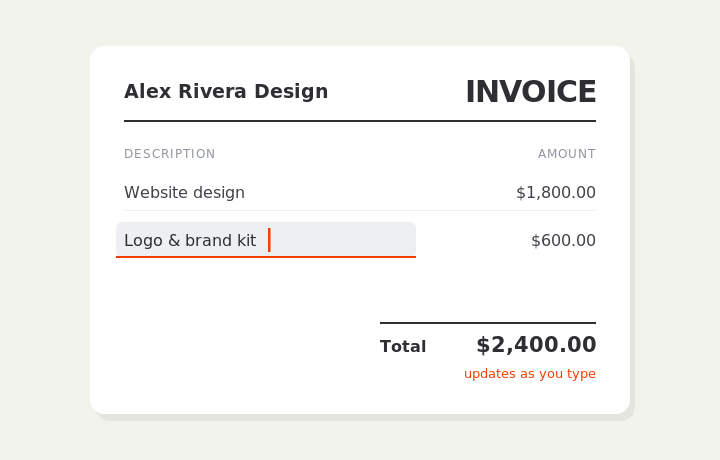
Type on the invoice
Fill in your business, client, and line items right on the document. Totals and tax calculate live as you type.
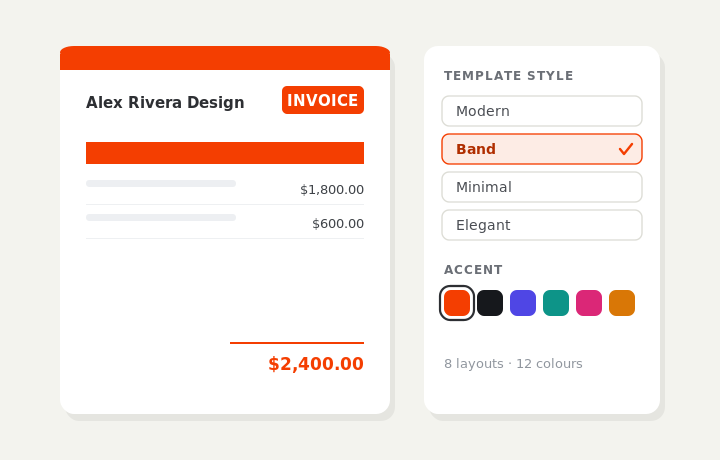
Customize & preview
Upload your logo, pick one of eight layouts and a color — the invoice you see is exactly what downloads.
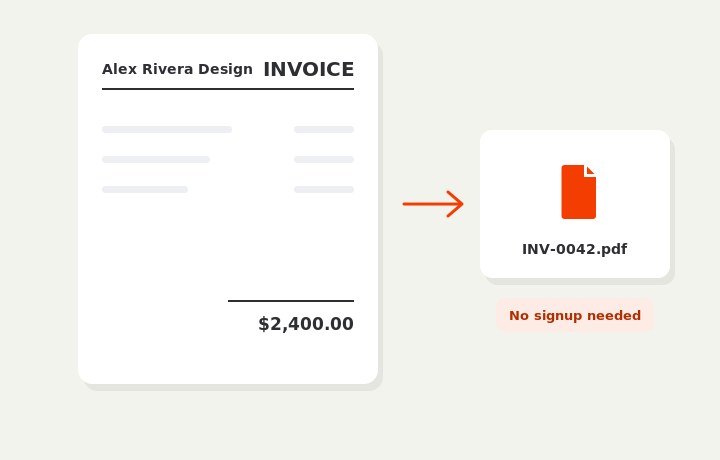
Download or send
Download a clean PDF, or sign in and email it straight to your client.
See it in action.
Three short videos: how the editor works, why there are no forms to fill in, and how every invoice after the first one takes seconds.
Create a Professional Invoice in Minutes
A full walkthrough: fill in the invoice, pick a template, and download a clean PDF — without creating an account.
Skip the Forms. Edit Your Invoice Directly
Most tools make you fill in a form and hope the output looks right. BillCrafter lets you type straight onto the document — what you see is what downloads.
Spend Less Time Invoicing. Get Paid Faster.
Reuse your business details, saved clients and past invoices so every invoice after the first one takes seconds.
Start free. Upgrade when you scale.
No card to start. 1 free export without an account, 5 a month once you sign up. Pro is in private beta — you can’t subscribe yet, and the free plan is unaffected.
- 1 free PDF export — no signup
- Full editor & all 45 templates
- Invoice, estimate, quote & receipt
- PDF download & print
No saved history. Sign up free to keep your work & export again.
- 5 PDF exports / month
- Cloud history — saved invoices & clients
- Reusable line items & business profile
- Email invoices to clients
- E-signature — sign invoices and send the signed PDF
- All 45 templates + your logo
- Multi-currency & regional tax
- Unlimited PDF exports (Free is 5 / month)
- PAID / UNPAID status stamps
- Share links with view tracking
- Recurring invoices
- Unlimited invoice emails to clients
- Priority support
No account required to try — 1 free export. Sign up free for 5 exports a month, saved history and clients. Prices in USD. Pro is in private beta and cannot be purchased yet.
Questions, answered.
Is BillCrafter free?
Yes. You can create and download invoices as PDFs for free — 1 export without an account, 5 per month once you sign up. A Pro plan ($9.90/month, unlimited exports) is in private beta and not on sale yet.
Do I need to create an account to use it?
No. The editor works the moment the page loads — no account, no card, nothing to install. You can fill in a complete invoice and download one PDF without signing up. A free account adds saved history, your client list and 5 exports a month; it’s there when you want it, not before you start.
Will my invoice have a watermark or BillCrafter branding?
No. Nothing is added to your document on any plan — no watermark, no logo, no “created with” line. The PDF contains only what you put on it. The optional PAID / UNPAID stamps are a Pro feature you switch on yourself, not branding.
What format do invoices download in?
PDF — one format, done properly. Every plan exports a pixel-accurate PDF and prints in one click, on any device, with nothing to install. A PDF also can’t be quietly altered after you send it, which is exactly what you want on a document about money. Pick a colored accent and one of 8 layouts to make it yours.
Can my client pay the invoice online through BillCrafter?
No — BillCrafter creates the document, it doesn’t process payments. You add your own payment details instead: a bank transfer, a PayPal or Stripe link, or a crypto wallet address with a scannable QR code. Payment goes straight to you, and we never handle your money or charge a transaction fee.
Can I email the invoice to my client?
Yes, with a free account. The invoice is sent as a PDF attachment and replies come back to your own email address. Each send counts toward your monthly export allowance; Pro removes the limit.
Can I invoice international clients in another currency?
Yes. There are more than 25 currencies — including USD, EUR, GBP, INR, JPY, BRL and SEK — plus USDT and USDC if you’re paid in stablecoins. Number formatting and the tax wording follow the market you pick, so a Swedish invoice reads “Moms” and a Japanese one shows whole yen with no decimals.
Can I add VAT, GST or sales tax?
Yes. Set a tax rate and mark each line taxable or not — useful when labor and materials are treated differently. The tax label follows the region you choose (VAT, GST, Moms, IVA and so on). Rates and rules differ by country and state, so confirm your own situation with an accountant or your tax authority.
Can I use BillCrafter on my phone?
Yes. It runs in a mobile browser, so you can fill in the invoice, download the PDF and email it from a phone or tablet. There’s nothing to install and no app store involved.
Do I need a registered business to send an invoice?
No. Freelancers and self-employed individuals can invoice under their own name and address. Include an EIN if you have one — never put your SSN on an invoice.
What’s the difference between an invoice and a receipt?
An invoice is a request for payment sent before payment. A receipt confirms payment after it’s been made. BillCrafter supports invoices, estimates, quotes, and receipts.
How long should payment terms be?
Net 14 or Net 15 is a sensible default for most freelancers and small businesses. Reserve Net 30 for established clients or larger B2B contracts.
Is my data private?
Your draft stays in your browser until you choose to save it to an account. Saved data is encrypted, and you can export or delete it anytime.
Still have a question? Email support@billcrafter.com.